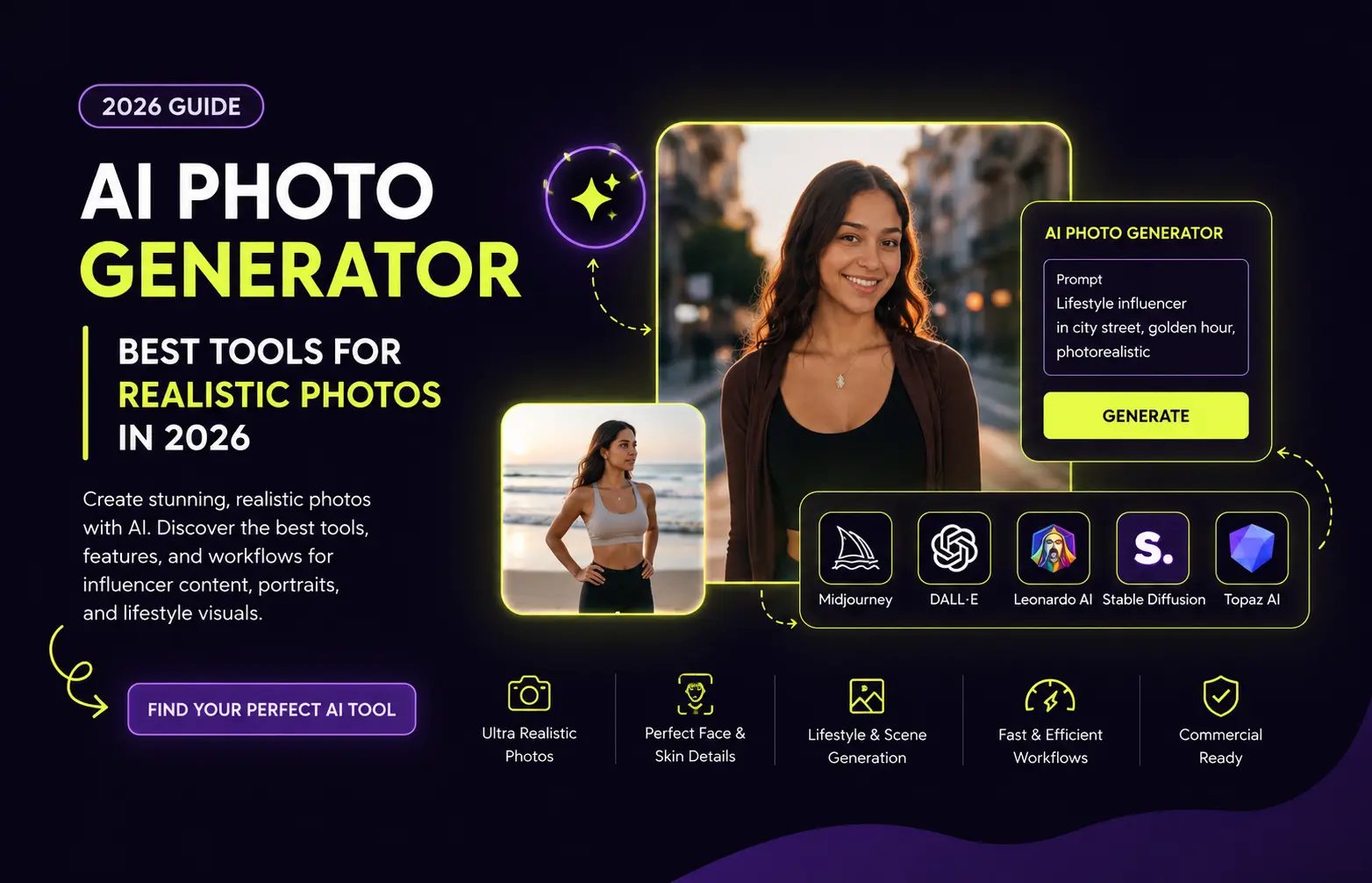
AI Photo Generator | Best Tools for Realistic Photos in 2026
The gap between “obviously AI-generated” and “wait, is that a real photo?” has never been smaller but it has not disappeared. Most tools nail the artistic stuff but fall apart when you need something that could pass as an actual photograph. The question in 2026 is not whether AI can generate realistic photos it is which specific tool delivers photorealism reliably across portraits, lifestyle scenes, and product shots rather than just in cherry-picked demos.
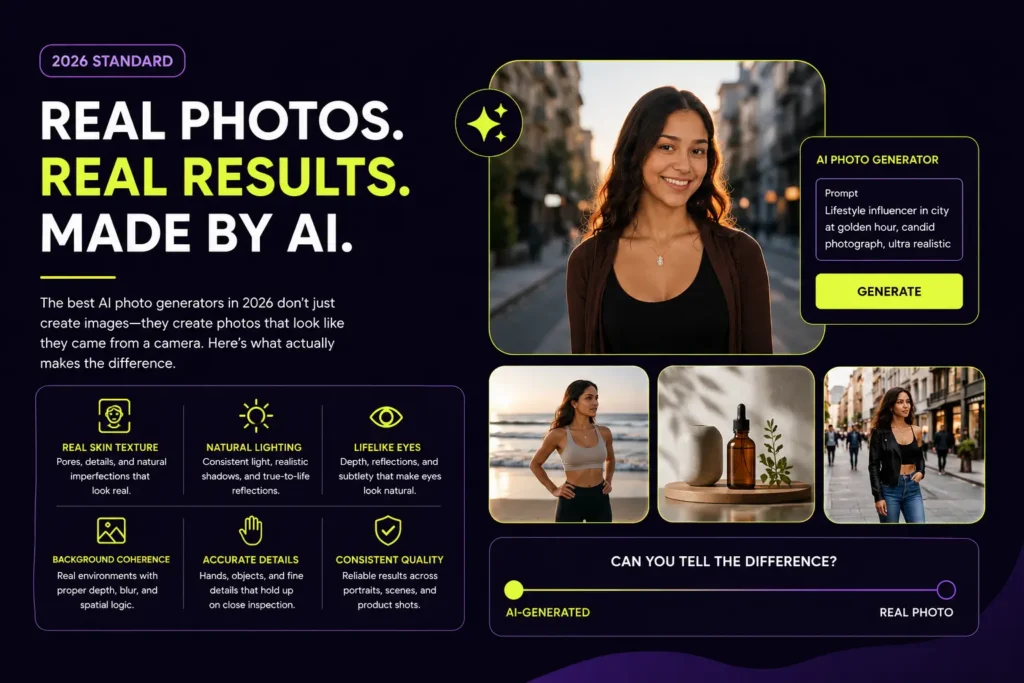
This guide focuses specifically on AI photo generators evaluated for photorealism not artistic quality, not illustration style, not creative interpretation. The criteria are simple: does the output look like it came from a camera? Can it handle skin texture, natural lighting, and environmental detail without the plastic sheen, dead eyes, and warped backgrounds that still betray lower-quality tools? We tested 10 AI photo generators in 2026 using consistent prompts across portraits, lifestyle photography, and product shots. Here is exactly what we found.
What Makes an AI Photo Generator Truly Realistic?
Before comparing tools, understanding what separates genuinely realistic AI photos from ones that merely look impressive in a demo is essential. The catch is that portraits, product shots, text-heavy adverts and multi-person scenes expose different weaknesses in different tools. The reliable approach is to run the same brief through several models and inspect the results at full size.
Skin texture at the micro-detail level is the first and most visible quality signal. Realistic skin has pores, subtle tonal variation, natural asymmetry, and the way light interacts differently with different facial zones — forehead versus under the eyes versus cheekbones. Tools that produce smooth, uniform skin immediately signal artificial origin to any trained eye.
Lighting physics determines whether the image feels spatially coherent. In a realistic photo, the light source is consistent — shadows fall in the correct direction, reflections appear on surfaces that face the light, and the character’s face is lit consistently with the environment. AI photo generators that place characters in scenes without respecting the lighting logic produce images that feel subtly wrong even when audiences cannot identify exactly why.
Eye realism is the detail that most frequently breaks photorealism at a glance. Natural eyes have depth, subtle corneal reflections, the ring of the iris visible against the pupil, and natural moisture. Flat, uniformly bright, or symmetrically perfect eyes instantly read as artificial.
Background coherence is where many otherwise capable tools fail. A realistic photo has a background that is spatially consistent with the subject — the right depth of field, correct parallax, and environmental logic. Backgrounds that blur into abstraction, repeat textures unnaturally, or show geometric distortions immediately undermine photorealism regardless of how good the subject looks.
Hand and body anatomy remains a known weakness for AI photo generators, though the best tools in 2026 have largely solved the most egregious failures. Evaluating hand rendering finger count, joint positioning, natural grip — is still the fastest way to identify lower-quality tools.
Best AI Photo Generators for Realistic Photos | Comparison Table
| Tool | Realism Score | Skin Texture | Lighting |
|---|---|---|---|
| GPT Image 2 | ⭐⭐⭐⭐⭐ | ⭐⭐⭐⭐⭐ | ⭐⭐⭐⭐⭐ |
| Midjourney v8 | ⭐⭐⭐⭐⭐ | ⭐⭐⭐⭐⭐ | ⭐⭐⭐⭐⭐ |
| Flux 2.0 Pro | ⭐⭐⭐⭐⭐ | ⭐⭐⭐⭐⭐ | ⭐⭐⭐⭐⭐ |
| Google Gemini | ⭐⭐⭐⭐⭐ | ⭐⭐⭐⭐ | ⭐⭐⭐⭐⭐ |
| Seedream 4 | ⭐⭐⭐⭐⭐ | ⭐⭐⭐⭐⭐ | ⭐⭐⭐⭐⭐ |
| Leonardo AI | ⭐⭐⭐⭐ | ⭐⭐⭐⭐ | ⭐⭐⭐⭐ |
| Adobe Firefly | ⭐⭐⭐⭐ | ⭐⭐⭐⭐ | ⭐⭐⭐⭐ |
| Ideogram 3.0 | ⭐⭐⭐⭐ | ⭐⭐⭐ | ⭐⭐⭐⭐ |
| Meta Emu 3.5 | ⭐⭐⭐⭐⭐ | ⭐⭐⭐⭐⭐ | ⭐⭐⭐⭐⭐ |
| Stable Diffusion | ⭐⭐⭐⭐ | ⭐⭐⭐⭐ | ⭐⭐⭐⭐ |
GPT Image 2 | Best Overall AI Photo Generator for Realism
OpenAI GPT Image 2 is the best overall AI image generator for realistic photos in 2026. It scores 9.8 out of 10 for realism and 9.6 out of 10 overall. Its main advantage is balance — it produces convincing lighting and surface detail while following complicated prompts more reliably than most visually focused competitors.
GPT Image 2 occupies a unique position among AI photo generators because it combines top-tier photorealism with the conversational refinement capability of ChatGPT. You describe what you want, evaluate the result, and refine through natural language “make the skin texture more natural,” “the background lighting feels inconsistent, fix it,” “her expression should be more relaxed” — without rewriting the entire prompt from scratch. This conversational loop dramatically reduces the iteration time needed to reach a photograph-quality output.
Skin texture handling is among the strongest of any tool tested. GPT Image 2 renders pores, natural tonal variation, and the subtle depth of real skin consistently across portrait subjects of different ethnicities, age ranges, and lighting conditions. Eye detail the detail that most frequently breaks photorealism in lower-quality tools — is handled with the depth and corneal reflection accuracy that reads as genuinely photographed.
GPT Image 2, Ideogram, and Imagen 4 all handle text well enough that designers are using them for real work now. That is a real shift from 2024 when every model garbled letters. This text handling capability means GPT Image 2 is also viable for lifestyle content that includes readable elements signage, labels, branded items without the garbled text that undermines photorealism in most other tools.
What it does best: The most balanced combination of photorealism quality, prompt accuracy, conversational refinement, and text rendering available in a single tool in 2026.
Where it falls short: Available through ChatGPT subscriptions rather than as a standalone photo generator — which means the $20/month Plus subscription also pays for features that photo-focused users may not need. Generation volume on Plus is limited for high-frequency content production.
Pricing: Available with ChatGPT Plus at $20/month. ChatGPT Pro at $200/month for higher volume access.
Best for: Creators who need the most balanced photorealism quality across diverse prompt types, and anyone already using ChatGPT who wants to add high-quality photo generation to their existing workflow.
Midjourney v8 | Best for Cinematic Portrait Photography
Midjourney has earned its reputation as the go-to for photorealistic AI images. When you need an image that looks like it was shot on a Sony A7IV with natural lighting, Midjourney consistently delivers. Skin texture and lighting — Midjourney handles subtle details like pores, hair strands, and ambient lighting better than any competitor.
Midjourney v8 sets the quality ceiling for cinematic portrait photography in AI photo generation. Midjourney V7 remains a strong choice for cinematic portraits and editorial-style photography its main advantage is balance producing convincing lighting and surface detail. Where GPT Image 2 wins on balanced all-round photorealism, Midjourney wins specifically on the aesthetic quality of portrait lighting the kind of cinematic, intentional lighting that makes a photograph feel like it was taken by a skilled photographer rather than captured automatically.
The tool’s understanding of photographic concepts is deeper than any other generator tested. Prompts specifying focal length, aperture, film stock, lighting setup, and color grading translate accurately into the final image. Specifying “shot on Kodak Portra 400, 85mm f/1.4, single window light from camera left, slight lens flare” produces output that genuinely reflects those photographic choices rather than simply applying a generic “realistic” filter.
Nothing else has the same painterly intuition as Midjourney. The model understands mood. You can prompt “melancholy, late autumn, the feeling of an empty train station” and get something that genuinely conveys that. Other models get the literal description right but miss the feeling.
What it does best: Cinematic portrait lighting, mood and atmosphere translation from abstract descriptors, editorial photography quality, and skin texture at the micro-detail level.
Where it falls short: No free tier. No built-in character locking for AI influencer use — maintaining a consistent face across multiple sessions requires reference image workflows. Pricing escalates quickly for high-volume generation.
Pricing: Basic $10/month, Standard $30/month, Pro $60/month, Mega $120/month.
Best for: Photographers, content creators, and AI influencer operators who need the highest aesthetic quality for hero images, brand deal deliverables, and editorial-style portfolio content.
Flux 2.0 | Best for Technical Photorealism Control
Flux has other models that are quite good for photorealism, including Flux Pro and Flux Schnell, which are cheap. Nano Banana 2 and Flux.1 Kontext create the most realistic images.
Flux 2.0 — specifically Flux.1 Kontext — is the preferred tool for creators and developers who need maximum technical control over their photorealism output. Flux.1 Kontext is built for production workflows, preserving character identity and style across edits with open-weight dev, pro, and max tiers. The character identity preservation capability is what makes Flux particularly valuable for AI influencer creators — you can edit specific elements of a generated photo without regenerating the entire image, maintaining the character’s core appearance while changing outfit, setting, or styling details.
The skin texture and lighting physics quality in Flux 2.0 Pro is competitive with GPT Image 2 and Midjourney at the absolute realism ceiling. Where Flux distinguishes itself is in the technical control it offers to experienced users custom LoRA integration, detailed parameter control, and API access for production pipeline integration. FLUX.2 is better suited to developers and creators who want more control over models, references, and deployment.
The practical limitation is accessibility. Flux is a model family accessed through third-party platforms rather than a polished consumer application. The interface quality and ease of use vary significantly depending on which platform you use to access it, and getting the best results requires more prompt engineering knowledge than conversational tools like GPT Image 2.
What it does best: Technical photorealism quality at the ceiling, character identity preservation across edits, API access for production pipeline integration, and cost efficiency for high-volume generation.
Where it falls short: No polished standalone consumer interface — quality of experience varies by access platform. Steeper learning curve than consumer-focused tools.
Pricing: Pay-per-image on most platforms. Approximately $0.04 per image at Flux Pro quality via API. Available through Leonardo AI, getimg.ai, Replicate, and others.
Best for: Developers and technically experienced creators who need maximum control, and AI influencer operators who want to combine Flux’s photorealism with Leonardo AI’s character training system.
Google Gemini (Nano Banana 2) | Best Free AI Photo Generator
Nano Banana 2 (Gemini 3.1 Flash Image) is the best overall AI image generator in 2026, offering strong text-to-image and image-to-image editing with inpainting support and nearly 2x the speed of older models.
Google Gemini uses the Nano Banana 2 model for image generation. In our testing, it gave the most consistent and realistic results and the best part is it is free. What makes Gemini stand out is how accurately it follows the prompt. It does not just create a good-looking image it actually includes almost every detail you ask for. The quality feels more natural and cinematic. The depth, textures and lighting look close to real photos.
For creators who want high-quality photorealistic output at zero cost, Google Gemini with the Nano Banana 2 model is the strongest option available in 2026 by a significant margin. The free tier through the Gemini app provides 100 image generations per day enough for real content production work rather than just occasional testing. The conversational refinement capability — asking for adjustments in plain language rather than rewriting prompts — makes it accessible to users without AI image generation experience.
Nano Banana 2 inside the free Gemini app is the best AI image generator for beginners. The best AI image generator in 2026 is Nano Banana because of its strong blend of speed, quality, and cost.
The practical limitation for AI influencer creators is content moderation. Google’s safety filters are relatively strict prompts that touch on anything Gemini considers sensitive are declined, which can limit the range of lifestyle and fashion content types you can generate. For general portrait photography, product shots, and lifestyle content within standard creative parameters, the quality is excellent.
What it does best: Best free photorealism quality available, 100 daily free generations, conversational prompt refinement, and strong prompt accuracy for following complex scene descriptions.
Where it falls short: Strict content moderation limits certain lifestyle content types. No built-in character locking for AI influencer persona consistency.
Pricing: Free via Gemini app. Gemini Advanced from $19.99/month for higher limits and additional features.
Best for: Creators who need photorealistic images at zero cost, beginners who want high-quality results without learning complex prompt engineering, and anyone testing photo generation quality before committing to a paid platform.
Seedream 4 | Best for 4K Photorealistic Photos
Seedream 4 by ByteDance comes in second overall, producing crisp 4K visuals and supporting up to six reference images for consistent brand assets just slightly less realistic than Nano Banana 2.
Seedream 4 is the AI photo generator of choice when output resolution matters its native 4K generation produces images with a level of detail that makes them suitable for print use, large-format display, and professional brand campaign assets where standard web resolution is insufficient. For AI influencer creators delivering brand deal content to brands who need high-resolution assets, Seedream 4’s 4K capability is a meaningful differentiator.
If you want one subscription that gives you the top realism models in one place, you can toggle between GPT Image 2.0, Seedream 5 Lite, and Nano Banana per project. The six-reference-image capability — allowing you to input up to six visual references to guide the generation — is particularly useful for product integration photos where you need to show your AI influencer naturally interacting with a specific product in a specific setting.
What it does best: Native 4K resolution output, up to six reference inputs for complex scene requirements, and strong photorealism for brand campaign-quality assets.
Where it falls short: Pay-per-use pricing model requires monitoring usage costs for high-volume production. Less beginner-accessible than consumer-facing tools like Gemini and GPT Image 2.
Pricing: Pay-per-use. Available through multiple platforms.
Best for: Creators delivering brand deal assets that require high-resolution output, and professional content teams producing campaign-level imagery rather than high-frequency social media content.
Leonardo AI | Best Photorealistic Option with Character Consistency
For AI influencer creators specifically, Leonardo AI’s combination of multiple photorealistic models and built-in character training makes it the most practical AI photo generator for building a consistent content library. While its photorealism ceiling is slightly below the top three tools for individual images, the character consistency advantage maintaining the same recognizable face across hundreds of photos over months of posting — is the priority for influencer content production.
Leonardo.AI is a production favorite featuring asset libraries and prompt history tools. The prompt history and asset library features matter more for long-term influencer content production than they might seem — being able to reference and repeat successful generations is what allows you to maintain aesthetic consistency across a content library that grows to hundreds or thousands of images.
The free tier’s 150 daily tokens is the most generous of any quality photorealistic tool, making it the best starting point for creators who want to test photorealistic AI photo generation before committing to a paid subscription.
What it does best: Character consistency through LoRA training, model variety covering multiple photorealistic approaches, production-friendly workflow features, and the most generous free tier.
Where it falls short: Individual image photorealism ceiling slightly below GPT Image 2, Midjourney, and Flux 2.0 at their best.
Pricing: Free tier with 150 daily tokens. Paid plans from $12/month.
Best for: AI influencer creators who need photorealistic image quality alongside character consistency and anyone who wants the best free tier for testing before paying.
Adobe Firefly | Best for Commercially Safe Photorealistic Photos
Adobe Firefly occupies a unique position in the AI photo generator landscape. Its photorealism quality while strong does not match GPT Image 2, Midjourney, or Flux at the absolute ceiling. What it offers instead is a quality guarantee combined with full legal indemnification: every image generated is trained exclusively on licensed content, which means brands and agencies with strict IP requirements can use Firefly output without copyright uncertainty.
Adobe Firefly is a favourite among enterprises for not training on copyrighted content, providing clear ownership rights. For AI influencer creators delivering content to major brands — particularly those in regulated industries or with active legal teams reviewing campaign assets — Firefly’s IP safety guarantee is worth the trade-off in absolute photorealism quality.
The integration with Adobe Creative Cloud tools — Photoshop’s Generative Fill, Illustrator’s generative features, and Adobe Express — makes Firefly a natural choice for creators already working in the Adobe ecosystem who want to add AI photo generation without managing a separate platform.
What it does best: Commercially safe photorealism with full IP indemnification, Adobe Creative Cloud integration, and accessible pricing for the quality level delivered.
Where it falls short: Photorealism ceiling below the top three tools. Free tier removed in early 2026 — now requires a paid subscription starting at $9.99/month.
Pricing: Starting at $9.99/month standalone. Included in Adobe Creative Cloud subscriptions.
Best for: Agencies and brands who need IP-safe photorealistic images for commercial campaigns, and creators already in the Adobe ecosystem who want integrated generation.
Meta Emu 3.5 | Sleeper Pick for Maximum Realism
Meta has released Emu 3.5, which processes the most realistic images, though it is both expensive and slow. A new model from Meta is also very good when it comes to realism, possibly even better than Nano Banana 2 and Flux, but it is incredibly slow and sometimes produces weird results.
Meta’s Emu 3.5 model is accessible through Meta AI available through WhatsApp, Instagram, Facebook, and the Meta AI website at no cost. The photorealism quality at its best is exceptional — skin texture, lighting physics, and environmental coherence that rivals the top paid tools. The practical limitations are generation speed (significantly slower than competitors) and occasional inconsistency that produces unexpected results.
For creators with time flexibility who want to test maximum-realism AI photo generation at zero cost, Emu 3.5 through Meta AI is worth including in your toolkit alongside faster primary tools.
What it does best: Potential photorealism quality at the ceiling of any currently available tool, accessible through Meta platforms at no cost.
Where it falls short: Slow generation speed. Occasional inconsistency produces unexpected or flawed results. Content moderation reflects Meta’s platform policies.
Pricing: Free through Meta AI on Meta platforms.
Best for: Creators who want to test maximum realism quality at no cost and have flexibility around generation speed and occasional inconsistency.
Ideogram 3.0 | Best for Realistic Photos with Text Elements
Ideogram 3.0 is the practical choice when a realistic image also needs signs, labels, or other readable text.
For AI photo generation that combines realistic photography with readable text — branded lifestyle content, product shots with visible labels, location content with readable signage — Ideogram 3.0 is the only tool that handles both requirements reliably. Every other AI photo generator produces garbled, misspelled, or visually incoherent text when asked to render words within a realistic photographic scene.
Ideogram often delivers strong results with stylized subjects. Realistic images are possible, but they do not always match the detail and natural look of dedicated photorealism models, especially for skin, hair, and complex lighting. Pure portrait photography photorealism trails the top three tools — but for the specific use case of realistic photos with text, Ideogram has no meaningful competition.
What it does best: Text rendering within realistic photographic scenes — by a significant margin over all competitors. Also strong for product photography where labels and branded elements need to be legible.
Where it falls short: Pure portrait photorealism trails GPT Image 2, Midjourney, and Flux at the quality ceiling.
Pricing: Free tier with approximately 10 slow-queue generations per day. Paid plans from $8/month.
Best for: Brand deal content featuring products with visible labels, lifestyle content incorporating readable signage or text elements, and any realistic photo that requires legible text within the image.
Stable Diffusion — Best for Unlimited Free Photorealistic Photos
Flux has other models that are quite good for photorealism, including Flux Pro and Flux Schnell, which are cheap. Stable Diffusion 3.5 is open-source and runs locally.
For technically capable creators who want unlimited photorealistic photo generation at zero ongoing cost, Stable Diffusion running locally with a photorealism-optimized model — particularly with Flux.1 integrated models — produces quality competitive with paid tools at the absolute ceiling. The combination of unlimited local generation, community LoRA models for character consistency, and zero platform restrictions makes it the most powerful free option for creators willing to invest in the technical setup.
The practical requirement is capable GPU hardware — an NVIDIA RTX 3080 or better for comfortable generation speed. Without capable hardware, cloud-based free platforms like Mage.space and Tensor.art provide access to Stable Diffusion models without local installation, though with usage limitations.
What it does best: Unlimited free photorealistic generation for users with capable hardware, access to thousands of community photorealism models, and complete control over every generation parameter.
Where it falls short: Requires technical setup and GPU hardware. Learning curve for getting consistent photorealistic results is steeper than consumer-facing tools.
Pricing: Free and open-source locally. Cloud access through Mage.space and Tensor.art at low cost.
Best for: Technical creators who want maximum control and zero ongoing cost for photorealistic photo generation.
How to Get Photorealistic Results from Any AI Photo Generator
The difference between an AI image that looks like a rendered illustration and one that genuinely passes as a photograph comes down to prompt construction more than tool selection — at least for the top-tier tools that all have the capability to produce photorealistic output.
Use Camera-Specific Language
When you need an image that looks like it was shot on a Sony A7IV with natural lighting, specifying those exact camera parameters makes the difference. Include the specific camera model, lens focal length, aperture setting, and lighting type. “Shot on Canon EOS R5, 50mm f/1.8, golden hour natural light from left” produces measurably more photorealistic output than “realistic photo, good lighting.”
Specify Imperfection
Paradoxically, the most effective way to achieve photorealism is to ask for imperfection. Add descriptors like “slight natural asymmetry,” “natural skin texture with visible pores,” “authentic candid expression,” and “slight motion in hair.” Perfect, symmetrical, smooth-skinned AI outputs read as artificial precisely because real photography cannot achieve that level of perfection.
Include Environmental Logic
The quality of realistic AI photo generation feels more natural and cinematic when depth, textures and lighting are specified coherently. Describe the light source and its direction, the distance from subject to background, the time of day, and the environmental context. “Afternoon light from a west-facing window, casting soft shadows to camera right, warm color temperature” produces coherent lighting that makes the final image feel photographed rather than generated.
Test at Full Resolution
The reliable approach is to run the same brief through several models and inspect the results at full size. Marketing gallery examples are selected from thousands of generations your actual prompt results may vary significantly from the showcased demos. Always download the full-resolution output and evaluate it at 100% zoom before deciding whether a tool meets your photorealism requirements for your specific use case.
AI Photo Generator by Use Case
| Use Case | Best Tool | Why |
|---|---|---|
| Best overall realism | GPT Image 2 | Balanced quality across all prompt types |
| Cinematic portraits | Midjourney v8 | Lighting, mood, skin texture |
| Maximum technical control | Flux 2.0 | LoRA, API, character preservation |
| Best free option | Google Gemini | 100/day, free, 4K capable |
| 4K brand assets | Seedream 4 | Native 4K, 6 reference inputs |
| IP-safe commercial | Adobe Firefly | Full indemnification |
| Text in realistic photos | Ideogram 3.0 | Only reliable text renderer |
| AI influencer consistency | Leonardo AI | LoRA training + photorealism |
| Unlimited free local | Stable Diffusion | Full control, zero cost |
Frequently Asked Questions
What is the best AI photo generator for realistic photos?
For photorealism in 2026, OpenAI GPT Image 2 is the strongest all-rounder, while Midjourney V7 excels at cinematic lighting and FLUX.2 offers greater technical control. For most creators who need consistently realistic results across diverse photo types, GPT Image 2 is the best starting point. For cinematic portrait quality specifically, Midjourney v8 edges ahead.
Can AI photo generators produce images that look like real photographs?
Nano Banana 2 and Flux.1 Kontext create the most realistic images in 2026. The best AI photo generators produce output that passes casual visual inspection — skin texture, lighting physics, and environmental coherence that reads as photographed rather than generated. Detailed scrutiny at full resolution still reveals AI artifacts in complex scenes, but for social media display sizes the best tools are effectively indistinguishable from photography.
Which AI photo generator has the best skin texture?
Midjourney handles subtle details like pores, hair strands, and ambient lighting better than any competitor for portrait photography. Flux 2.0 and GPT Image 2 are competitive for skin texture across diverse skin tones and lighting conditions. All three are significantly stronger than lower-tier tools that produce the plastic smooth skin that immediately signals AI generation.
Is there a free AI photo generator that produces realistic results?
Google Gemini uses the Nano Banana 2 model and gives the most consistent and realistic results for free. The quality feels more natural and cinematic — the depth, textures and lighting look close to real photos. Leonardo AI’s free tier of 150 daily tokens also provides meaningful free access to photorealistic generation.
How do I make AI photos look more realistic?
Use camera-specific language in your prompts — specify camera model, focal length, and aperture. Add natural imperfection descriptors — slight asymmetry, visible skin texture, authentic expression. Describe the light source with physical logic — direction, temperature, and quality. And evaluate results at full resolution rather than thumbnail size to accurately assess photorealism quality.
What AI photo generator is best for influencer content?
For AI influencer content specifically, Leonardo AI provides the best combination of photorealistic output quality and character consistency through its LoRA training system. For hero images and brand deal deliverables where maximum quality is the priority, combine Leonardo AI for character consistency with Midjourney v8 or GPT Image 2 for the photorealism ceiling.