How to Create Realistic AI Images for Social Media (Step by Step Guide)
In 2026, social media feeds are flooded with visuals, but the ones that stop scrolls and drive engagement are the realistic AI-generated images that look like professional photographs. Whether you’re a content creator, marketer, influencer, or small business owner on platforms like Instagram, TikTok, Facebook, LinkedIn, or X, mastering realistic AI imagery can transform your content strategy.
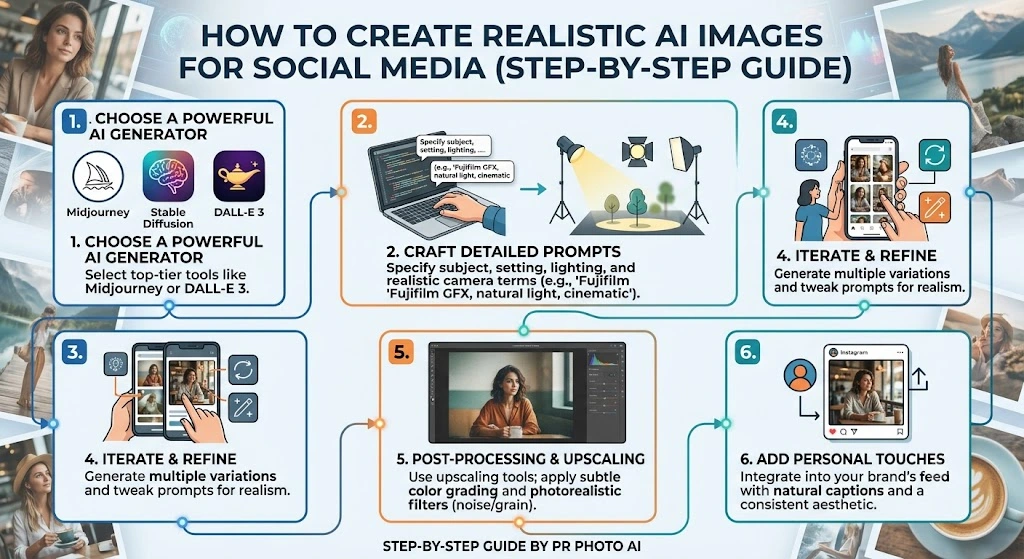
This detailed step-by-step guide will teach you exactly how to create stunning, photorealistic AI images optimized for social media. You’ll learn prompt engineering secrets, the best tools in 2026, platform-specific tips, common mistakes to avoid, and advanced workflows for consistent, brand-aligned results. By the end, you’ll generate images that look indistinguishable from real photos — and rank better in search too.
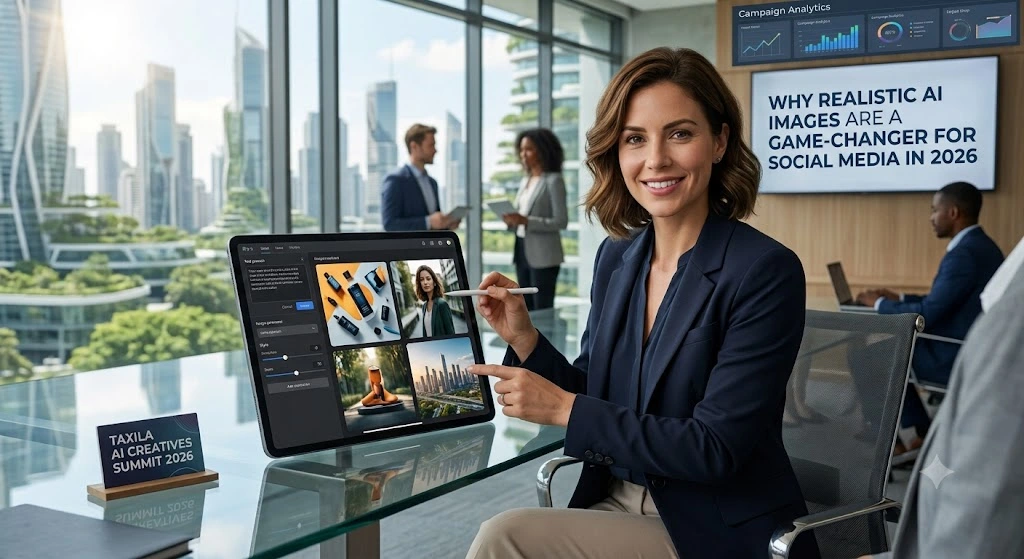
Why Realistic AI Images Are a Game-Changer for Social Media in 2026
Social media algorithms favor high-engagement content. Realistic images perform exceptionally well because they feel authentic, evoke emotions, and blend seamlessly into users’ feeds.
- Higher engagement: Photorealistic visuals get more likes, comments, shares, and saves.
- Cost and time savings: No need for expensive photoshoots or stock licenses.
- Brand consistency: Create unlimited custom visuals matching your aesthetic.
- SEO benefits: Optimized AI images with proper filenames, alt text, and context improve visibility in Google Images and AI search.
However, generic AI outputs often look “plastic” or artificial. The secret lies in smart prompting, tool selection, and post-processing.
Step 1: Choose the Right AI Image Generator for Photorealism
Not all tools are equal for realistic results. Here’s a 2026 overview of top performers:
- FLUX.2 Pro / FLUX.2 Max (Black Forest Labs): Excellent for photorealism, skin textures, anatomy, and complex scenes. Great value via API.
- GPT Image 2 / DALL-E variants (OpenAI/ChatGPT): Outstanding prompt understanding, conversational editing, and marketing visuals.
- Google Nano Banana Pro / Imagen 4 (Gemini): Top-tier free or low-cost option for natural lighting, consistency, and realism.
- Midjourney V8+: Best for cinematic, artistic photorealism with strong atmosphere.
- Ideogram / Leonardo.ai: Strong for text-in-images and specialized styles.
- Adobe Firefly: Safest for commercial use with brand-safe training data.
Recommendation for beginners: Start with ChatGPT (GPT Image) or Gemini for free/accessible options. For advanced users, combine FLUX for photorealism and Midjourney for creativity.
Pro Tip: Test multiple models with the same prompt to see which delivers the best results for your niche (e.g., lifestyle, product, portraits).
Step 2: Master Prompt Engineering for Realistic AI Images
The quality of your output depends 80% on your prompt. Think like a photographer, not a casual user.
Core Prompt Structure (Use This Formula):
[Subject] + [Environment/Setting] + [Lighting & Mood] + [Camera/Lens Details] + [Style & Quality] + [Composition] + [Negative Prompts]
Basic Example:
“A young woman in her 20s with natural skin texture, standing in a cozy cafe, soft morning window light, realistic shadows, shot on 50mm lens f/1.8 shallow depth of field, candid lifestyle photography, warm tones, photorealistic, 8K detail –ar 4:5”
Advanced Example for Instagram:
“Photorealistic portrait of a confident female entrepreneur working on a laptop in a modern sunlit office, natural skin pores and subtle freckles, golden hour side lighting casting soft shadows, Canon EOS R5 85mm lens, shallow depth of field, bokeh background, editorial lifestyle photography style, high detail, natural imperfections, Instagram 4:5 aspect ratio, no plastic skin, no deformities”
Key Techniques for Realism:
- Lighting: Specify “soft window light”, “golden hour”, “overcast natural daylight”, “volumetric god rays”. Lighting makes or breaks realism.
- Camera Terms: “Shot on 35mm lens”, “shallow depth of field”, “film grain”, “candid iPhone photo”, “Fujifilm color science”.
- Imperfections: Add “subtle skin texture”, “natural hair flyaways”, “slight asymmetry”, “realistic fabric wrinkles” to avoid the uncanny valley.
- Negative Prompts: “blurry, deformed hands, extra fingers, plastic skin, overexposed, low quality, cartoon, painting, text artifacts, symmetrical perfection”.
- Platform Optimization: Include aspect ratios like
--ar 9:16for Stories/Reels,4:5for Instagram feed,1:1for square posts.
Build a Prompt Library: Save successful prompts in a Notion/Google Doc categorized by content type (portraits, products, lifestyle).
Step 3: Generate Images Step-by-Step
- Plan Your Content: Decide the purpose (product promo, lifestyle story, quote graphic). Note platform, aspect ratio, mood, and brand colors.
- Write & Refine Prompt: Start detailed, generate 3-5 variations.
- Generate: Use the tool’s settings for quality (e.g., high resolution, specific model like PhotoReal).
- Evaluate: Zoom in to check hands, faces, lighting consistency, artifacts.
- Iterate: Use conversational editing (e.g., in ChatGPT: “Make the lighting warmer and fix the hand”).
- Upscale & Enhance: Use built-in upscalers or tools like Topaz or Lightroom.
Batch Workflow for Efficiency:
- Review content calendar.
- Group similar images.
- Generate in sessions.
- Curate the best ones.
Step 4: Post-Production for Social Media Perfection
Even great AI outputs benefit from editing:
- Tools: Canva (quick overlays/text), Photoshop/Lightroom (color correction, skin retouching), CapCut for video integration.
- Adjustments: Fix contrast, white balance, add subtle grain, crop for platforms.
- Add Value: Overlay text, logos, or CTAs that match brand fonts.
- Optimize Files: Export as WebP, compress for fast loading (under 200KB ideally). Use descriptive filenames like
realistic-ai-lifestyle-portrait-cafe-2026.webp.
Alt Text Best Practices (SEO Gold):
“Photorealistic AI-generated image of a young woman working in a cafe, natural lighting, lifestyle content for social media” — descriptive, keyword-rich but natural.
Platform-Specific Tips for Maximum Impact
- Instagram: Vertical 4:5 or 9:16. Vibrant but natural colors. Carousel ideas with consistent characters.
- TikTok/Reels/Stories: 9:16 dynamic scenes. Pair with trending audio.
- LinkedIn: Professional portraits, office setups, 1.91:1 landscape.
- Pinterest: Tall 2:3 pins with rich details.
- X/Twitter: Eye-catching 16:9 thumbnails.
Advanced Tips for Pro-Level Results
- Consistency Across Series: Use the same character descriptions or reference images (img2img in tools like Leonardo).
- Brand Alignment: Include color palettes, specific styles (e.g., “minimal Scandinavian aesthetic”).
- Avoid AI Detection: Mix subtle imperfections, vary compositions, add real-world context.
- Legal & Ethical: Check tool terms for commercial use. Disclose AI if required. Use indemnified tools like Firefly for safety.
- Analytics Loop: Post, track performance, refine prompts based on what engages your audience.
Common Mistakes to Avoid
- Vague prompts → Generic results.
- Ignoring aspect ratios → Poor cropping.
- Over-editing → Losing realism.
- No negative prompts → Artifacts.
- Skipping optimization → Slow load times and poor SEO.
Real-World Examples & Prompt Templates
Product Shot:
“Clean product photography of wireless headphones on a wooden desk, soft natural light from window, realistic textures and reflections, minimal background, shot on macro lens, commercial style, 1:1 square for social media.”
Lifestyle Portrait:
“Candid photo of a diverse group of friends laughing at a park picnic, golden hour sunlight, natural expressions and body language, realistic details, 35mm lens, warm color grading, Instagram-ready 4:5.