
AI Influencer Best AI video generator
Best AI Video Generator in 2026: 6 Tools Compared
AI video moved fast in 2026. Some tools now make clips with sound and lip sync in one go. Here is which generator to use for realism, for talking-head videos, for value, and for quick drafts.
Quick answer
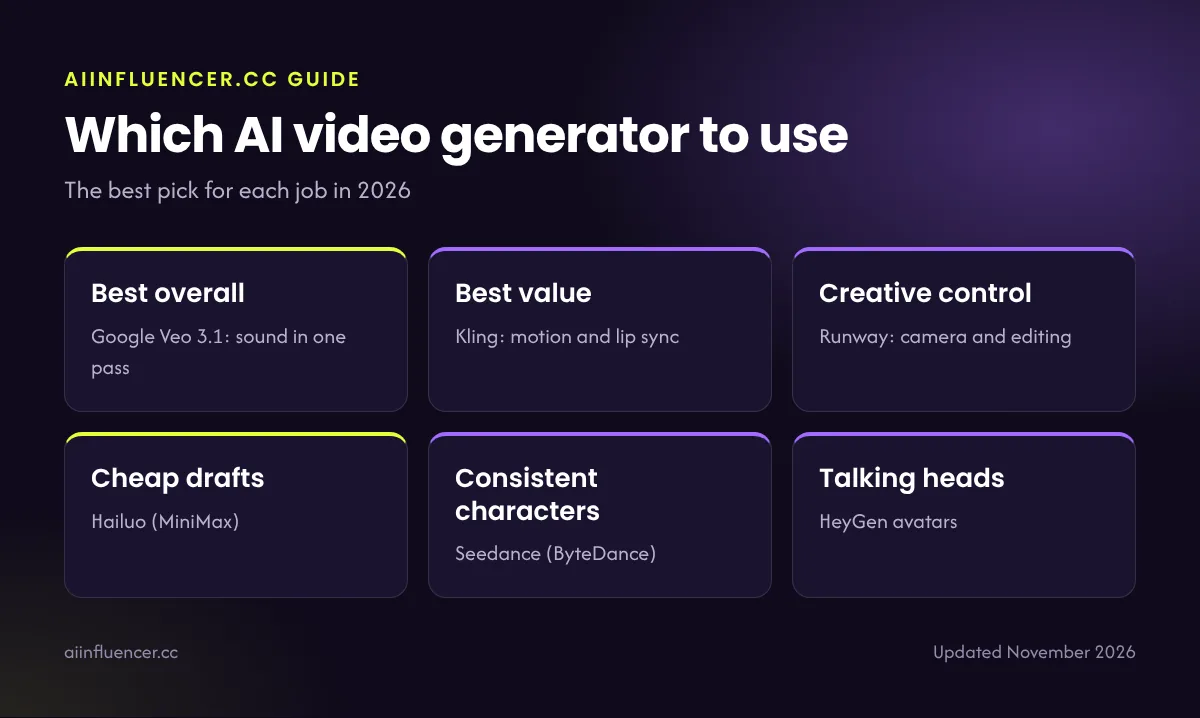
- Best overall: Google Veo 3.1. It generates video with synced sound and dialogue.[1]
- Best value: Kling, for strong motion and lip sync at a lower price.[2]
- Best for creative control: Runway, with editing tools around the model.
- Best for cheap, fast drafts: Hailuo (MiniMax).
- Best for talking-head avatars: HeyGen.
- Sora: several 2026 reviews report that OpenAI shut down the Sora app, so we no longer recommend it.[3]
How we picked
We combine public benchmarks, independent 2026 reviews and each tool’s documented features, and judge them on what matters for creators: realistic motion, lip sync, audio, vertical 9:16 output, commercial rights and cost per clip. No tool paid to be included.
Comparison
AI video generators compared
| Tool | Best for | Native audio | Lip sync | Strength | Watch out |
|---|---|---|---|---|---|
| Google Veo 3.1 | Overall realism | Yes | Yes | Cinematic quality, sound in one pass | Higher cost per clip |
| Kling (Kuaishou) | Value, character motion | Yes, in newer versions | Yes | Natural movement, price | Specs vary between plans |
| Runway | Creative control | Varies by model | Via tools | Editing suite, camera control | Shorter clips on lower plans |
| Hailuo (MiniMax) | Cheap, fast drafts | Varies | Limited | Speed, free tier | Check commercial rights |
| Seedance (ByteDance) | Consistent characters across shots | Varies | Yes | Multi-shot consistency | Availability differs by region |
| HeyGen | Talking-head avatars | Yes (voices) | Excellent | Script to video in minutes | Not for cinematic scenes |
Features and limits change often. Check each tool’s site before you subscribe.
The tools
Each AI video generator in detail
Best overall
Google Veo 3.1
Google’s video model, available through Gemini and Google’s creative tools. Its standout feature is generating synchronised audio, including dialogue, together with the video.[1]
- Most cinematic results
- Sound, music and speech in one pass
- Strong prompt following
- More expensive per clip
- Clip length is limited per generation
Free option: Limited, depending on your Google plan
Best value
Kling
Kuaishou’s model, widely rated as the best value in 2026 reviews, with natural human motion and per-character lip sync.[2]
- Realistic people and motion
- Good lip sync
- Lower price than the top tier
- Plan limits and clip lengths vary
- Queue times at busy hours
Free option: Daily free credits on some plans
Best for creative control
Runway
A full creative suite around its Gen-4 family of models, with camera controls, editing and references. Popular with filmmakers and agencies.
- Strong control over camera and style
- Editing tools in the same app
- Good for consistent scenes
- Credits go quickly
- Short clips on cheaper plans
Free option: One-time trial credits
Best for quick drafts
Hailuo (MiniMax)
Fast and inexpensive, which makes it useful for testing ideas before you spend credits on a premium model.
- Fast generations
- Low cost
- Good for storyboards
- Weaker lip sync
- Check commercial use terms
Free option: Yes, on some plans
Best for consistent characters
Seedance
ByteDance’s video model, often recommended for keeping the same character across several shots.[2]
- Character consistency across shots
- Smooth motion
- Good value
- Availability varies
- Fewer editing tools
Free option: Varies by platform
Best for talking heads
HeyGen
Not a scene generator but an avatar tool: give it a script and a face, and it makes a talking-head video with convincing lip sync. Ideal for AI influencers who speak to camera.
- Best-in-class lip sync for avatars
- Custom avatars and voices
- Translation into other languages
- Not for cinematic shots
- Best features on paid plans
Free option: Limited free plan
Workflow
How creators combine AI video tools
Most creators use two or three tools together instead of one.
1. Draft cheaply
Test the idea and camera move with a fast, low-cost model such as Hailuo.
2. Make the hero shot
Generate the final clip with Veo, Kling or Runway, using a still of your persona as the first frame.
3. Add speech
For talking-to-camera content, use HeyGen or a lip-sync feature with one consistent voice. Edit and caption in CapCut.
New to this? Start with the video step of our AI influencer guide.
FAQ
Frequently asked questions
What is the best AI video generator in 2026?
Google Veo 3.1 is the most common pick for overall quality because it generates video with synced audio. Kling is the best value, Runway gives the most creative control, and HeyGen is best for talking-head avatar videos.
Is there a free AI video generator?
Several tools offer free credits or a limited free plan, including Kling, Hailuo and HeyGen. Free clips are usually short, watermarked or queued. Check each tool’s current plan.
Which AI video generator has the best lip sync?
For an avatar speaking a script, HeyGen. For lip sync inside a generated scene, Veo 3.1 and Kling are the strongest options in 2026 reviews.
Can I make Reels and TikToks with AI video?
Yes. Choose 9:16 vertical output, keep clips short, and add captions. Label realistic AI content on the platform.
What happened to Sora?
Several 2026 reviews report that OpenAI shut down the Sora app, with the API following later. We have removed it from our recommendations.
Sources
- Tech Insider, Best AI video generator 2026: Veo 3.1 vs Kling 3.0
- Pixflow, Best AI video generators in 2026
- SurePrompts, Best AI video generators in 2026
Keep reading
Related guides
Best AI image generators
The image tools compared for realistic, consistent influencer photos.
How to create an AI influencer
The full step-by-step process, from character brief to first brand deal.
The complete AI influencer guide
What AI influencers are, how they earn, the tools and the rules, all on one page.
What is a virtual influencer?
Where virtual influencers came from and how brands use them.
Give your persona a voice
Our HeyGen review covers lip sync, avatars and real cost.