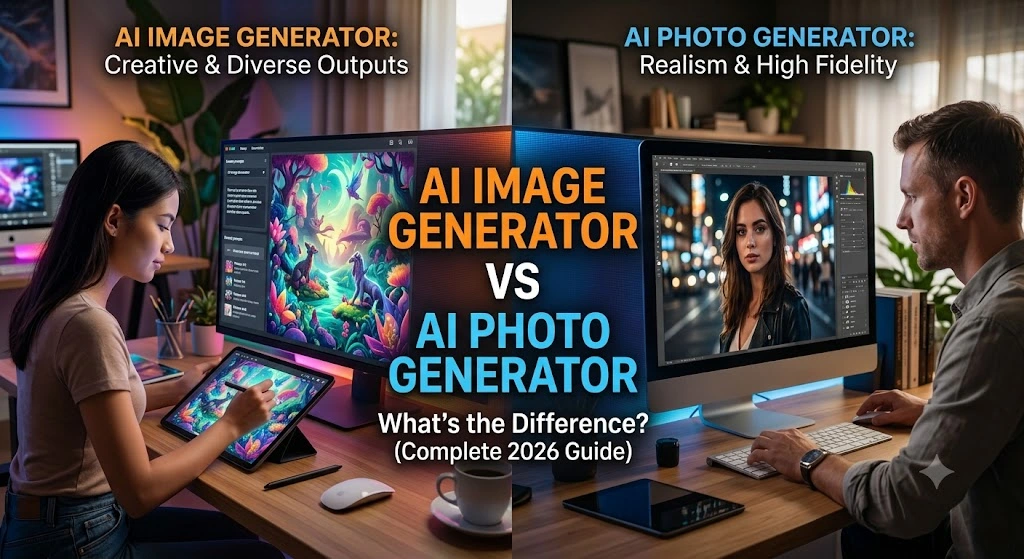
AI Image Generator vs AI Photo Generator: What’s the Difference? (Complete 2026 Guide)
In the fast-evolving world of AI content creation, one question confuses many creators and marketers: What’s the difference between an AI Image Generator and an AI Photo Generator? Both create stunning visuals, but they serve different purposes — especially for social media influencers, brands, and content creators on platforms like Instagram, TikTok, and LinkedIn.
This is Part 5 of our ultimate AI Influencer series on aiinfluencer.cc. In this comprehensive, SEO-optimized guide, we’ll break down the key differences, strengths, weaknesses, best tools in 2026, real-world use cases, and a clear decision framework so you can choose the right tool every time and create scroll-stopping content faster.
Whether you want artistic, creative visuals or hyper-realistic photos that look like they came from a professional photoshoot, this guide has you covered.
Understanding the Basics: AI Image Generator vs AI Photo Generator
AI Image Generator: A broad tool that creates any type of visual content from text prompts. This includes artistic illustrations, abstract designs, cartoon styles, surreal scenes, digital art, graphics, and more. It excels at creativity and imagination.
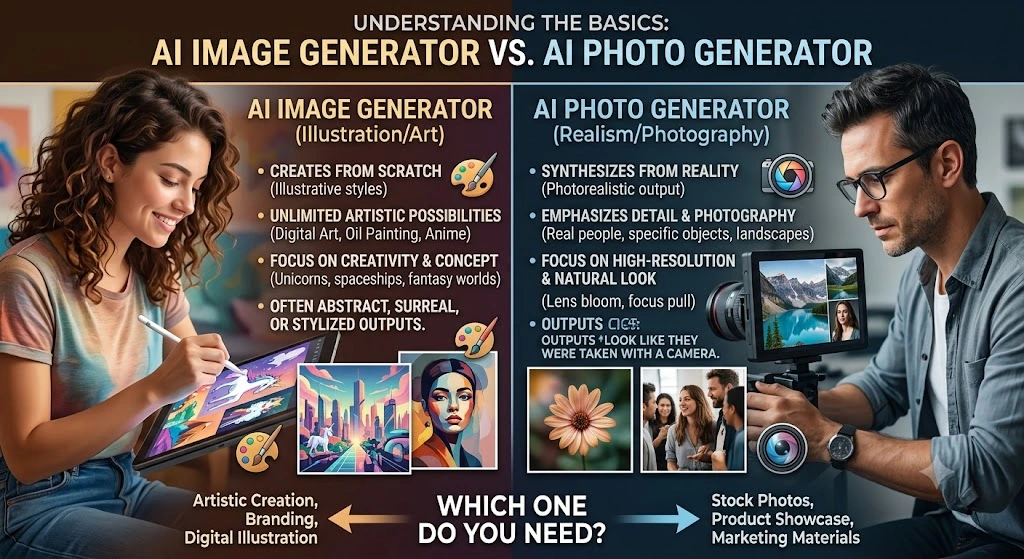
AI Photo Generator: A specialized subset focused on photorealistic outputs — images that look like real photographs taken with a camera. These tools prioritize natural lighting, skin textures, anatomy, shadows, and real-world physics to produce images nearly indistinguishable from actual photos.
Key Takeaway: All AI Photo Generators are AI Image Generators, but not all Image Generators are good at producing realistic photos.
Detailed Comparison: AI Image Generator vs AI Photo Generator
| Aspect | AI Image Generator | AI Photo Generator | Winner for Influencers |
|---|---|---|---|
| Primary Strength | Creativity, styles, art | Photorealism & realism | Photo for social media |
| Output Style | Artistic, cartoon, surreal, graphic | Realistic photos, portraits, lifestyle | Depends on goal |
| Prompt Complexity | Handles abstract & mixed styles well | Needs photography-specific language | Photo (more precise) |
| Realism Level | Variable (can look fake) | Extremely high (skin, lighting, details) | Photo Generator |
| Best For | Concept art, thumbnails, illustrations | Influencer photos, product shots, lifestyle | Photo for authenticity |
| Speed | Often faster for simple art | Slightly slower for high realism | Image (general) |
| Commercial Safety | Varies | Often better (e.g., Adobe Firefly) | Photo |
| Cost | Wide range | Similar, but premium for top realism | Tie |
When to Use AI Image Generator
- Creating eye-catching graphics, quote cards, or stylized content
- Brainstorming creative concepts and mood boards
- Artistic influencer aesthetics (e.g., cyberpunk, vintage, fantasy)
- Quick social media experiments and abstract backgrounds
- Logo variations or illustrative thumbnails
Example Prompt (Image Generator Style):
“A vibrant surreal illustration of an influencer floating in a dream world with floating products, bold colors, digital art style, high contrast, 1:1 square format”
When to Use AI Photo Generator
- Building a realistic personal brand as an influencer
- Product photography & mockups
- Lifestyle content that feels authentic
- Portraits, fashion shots, travel photos
- Before/after, testimonials, or storytelling visuals
Example Prompt (Photo Generator Style):
“Photorealistic candid photo of a 28-year-old female influencer walking in Tokyo streets at golden hour, natural skin texture, realistic reflections on buildings, shot on Sony A7R IV 35mm lens, subtle film grain, lifestyle photography, 4:5 aspect ratio”
Top Tools in 2026: Image vs Photo
Best AI Image Generators:
- Midjourney V8 — Best overall creativity and aesthetics
- DALL-E / GPT Image 2 — Excellent prompt understanding and editing
- Ideogram — Superior text-in-image
- Leonardo.ai — Versatile for styles and consistency
Best AI Photo Generators:
- FLUX.2 Pro / Max — Leading photorealism, anatomy, and details
- Google Nano Banana Pro / Imagen 4 — Natural lighting and free access
- GPT Image 2 (with realism focus) — Great conversational refinement
- Adobe Firefly — Commercially safe & integrated with Photoshop
Many modern tools (like ChatGPT or Gemini) now offer both capabilities in one interface.
Pros and Cons Breakdown
AI Image Generator Pros:
- Unlimited creative freedom
- Faster generation for non-realistic styles
- Great for testing wild ideas
- Often cheaper for high-volume artistic work
Cons:
- Harder to achieve consistent photorealism
- May produce uncanny or fake-looking results for human subjects
AI Photo Generator Pros:
- Highly believable outputs
- Better for building trust and engagement on social media
- Superior anatomy, lighting, and textures
- Easier character consistency for influencer series
Cons:
- Less flexible for purely artistic or abstract concepts
- Requires more detailed photography-style prompts
- Sometimes stricter content policies
How to Choose the Right One for Your Influencer Content Strategy
Ask yourself these questions:
- Do I need the image to look like a real photo? → Go with Photo Generator
- Am I creating artistic or illustrative content? → Image Generator
- Is authenticity and trust important for my brand? → Photo Generator
- Do I need quick variations in many styles? → Image Generator or hybrid tools
Hybrid Approach (Recommended): Use a versatile tool like GPT Image 2 or FLUX for both. Start with broad generation, then refine for realism.
Practical Tips for Better Results in 2026
- Prompt Like a Pro: For photos, use camera terms (85mm lens, golden hour, shallow depth of field). For general images, add artistic references.
- Consistency: Use the same seed, character description, or image-to-image features.
- Optimization for Social: Always set correct aspect ratios, compress images, write descriptive alt text, and use SEO-friendly filenames.
- Post-Processing: Combine AI output with Canva or Lightroom for final polish.
- Ethical Considerations: Disclose AI-generated content when required. Choose tools with commercial licenses.
- Testing Workflow: Generate the same concept in both modes and A/B test on your audience.
Real-World Use Cases for Influencers
- Fashion Influencer: Use Photo Generator for realistic outfit shots; Image Generator for stylized campaign concepts.
- Fitness Coach: Hyper-realistic workout photos for motivation.
- Travel Blogger: Realistic destination shots mixed with creative illustrated maps.
- Beauty Brand: Close-up realistic skincare results vs artistic product renderings.
Many top influencers in 2026 use a mix — realistic photos for trust and artistic images for creativity.
Common Mistakes to Avoid
- Using generic prompts in Photo mode → unnatural results
- Ignoring negative prompts
- Not matching tool to goal
- Skipping post-editing
- Over-relying on one tool without testing others