
How to Keep an AI Influencer’s Face Consistent
One face that never changes is what makes an AI influencer believable. Here are the three methods creators use, how to build a LoRA dataset, and how to fix a face that starts to drift.
Key takeaways
- Re-typing the same prompt will not give you the same person.
- Character reference is fastest; a custom LoRA is most reliable.
- Fifteen good training images beat fifty mixed ones.
On this page
Why AI faces change between images
Image models generate a new face from scratch every time, guided only by your words. Words like “brown hair, green eyes” describe millions of people, so each image lands on a slightly different one. To get the same person, you have to give the model the face itself, not just a description.
The 3 ways to keep a face consistent
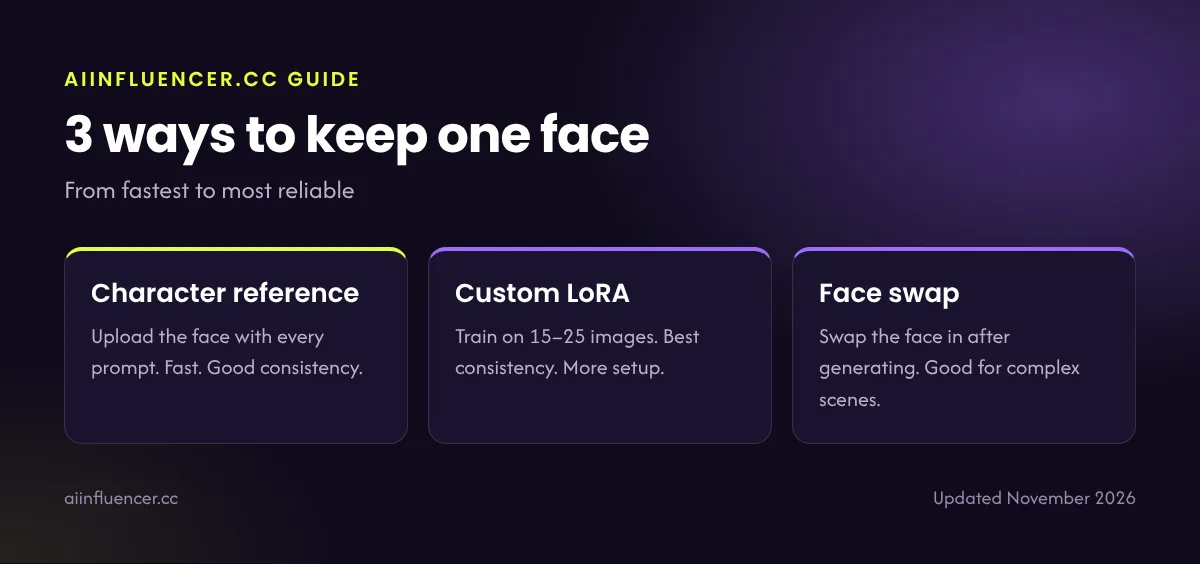
1. Character reference
Upload your chosen face as a reference with each prompt. Leonardo, Midjourney and chat-based tools like Nano Banana and GPT Image support this. It is quick and good enough for many accounts, but expect small changes from side angles or in unusual lighting.
2. Custom LoRA
A LoRA is a small add-on model trained on images of one face. Once trained, you add its trigger word to any prompt and the model draws that person. It works with open models such as FLUX and Stable Diffusion, through hosted trainers or on your own GPU. This is the most reliable method for hundreds of posts.
3. Face swap
Generate the scene first, then swap your persona’s face in with a face-swap tool. Useful for complex scenes, but check edges, skin tone and lighting closely, because mismatches are easy to spot.
| Method | Consistency | Setup | Best for |
|---|---|---|---|
| Character reference | Good | Minutes | Starting out, quick posts |
| Custom LoRA | Best | An hour or two | Long-term accounts |
| Face swap | Good | Minutes per image | Complex scenes, fixes |
LoRA dataset checklist
- 15–25 images of the same face
- Mix of front, three-quarter and side angles
- Different expressions: neutral, smiling, talking
- Different lighting: daylight, indoor, evening
- Plain or simple backgrounds
- Nobody else in the frame
- No heavy filters, sunglasses or hands over the face
- Short captions that describe everything except the face itself
Build the dataset from your chosen face using character reference, select only the images that really look like the same person, then train. See which image tools support LoRA.
How to fix a face that starts to drift
- Lower the strength of style words that change the face, like “glamour” or “anime”
- Raise the LoRA or reference strength a little
- Use closer framing: faces drift more in wide shots
- Inpaint just the face area with your LoRA active
- Re-train the LoRA with your best recent images
- Keep a reference sheet of the face and compare before posting
Next: put the face to work with our 40 influencer prompts, or follow the full AI influencer guide.
FAQ
Frequently asked questions
How do I make the same AI character in every image?
Use a character reference image with every prompt, or train a LoRA on 15–25 images of the face and use it in every generation.
How many images do I need to train a LoRA?
About 15–25 high-quality images of one face from different angles, expressions and lighting.
Which AI tool keeps faces most consistent?
FLUX or Stable Diffusion with a custom LoRA. For an easier option, Leonardo AI or Midjourney with character reference.
Keep reading
Related guides
How to create an AI influencer
The full step-by-step process, from character brief to first brand deal.
Best AI image generators
The image tools compared for realistic, consistent influencer photos.


2 Comments