How to Make an AI Influencer for Free: A Zero-Budget Workflow
You can build and test an AI influencer without spending anything. Here is a complete zero-budget workflow, which free tools to use at each step, and the limits you will hit.
Key takeaways
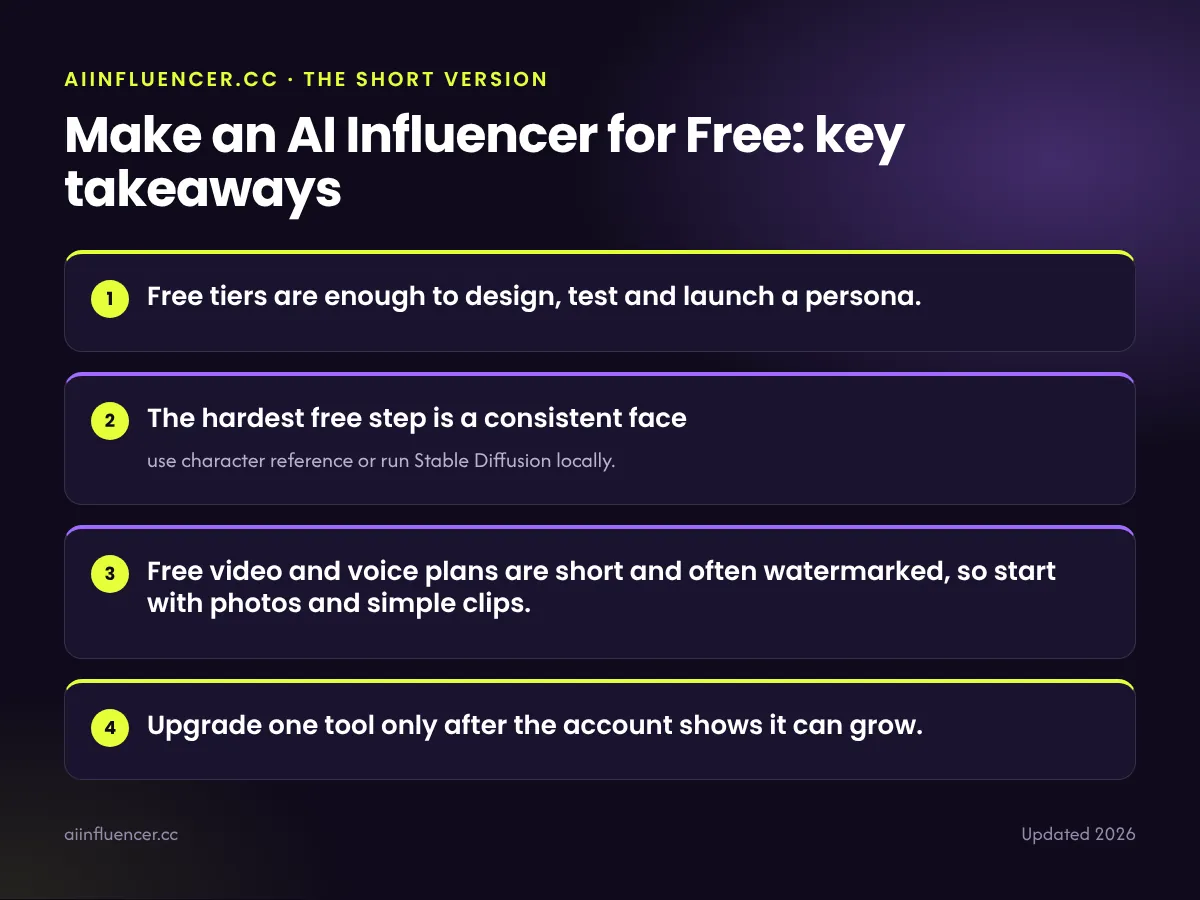
- Free tiers are enough to design, test and launch a persona.
- The hardest free step is a consistent face: use character reference or run Stable Diffusion locally.
- Free video and voice plans are short and often watermarked, so start with photos and simple clips.
- Upgrade one tool only after the account shows it can grow.
What “free” really means
Most AI tools give you a daily or monthly allowance instead of unlimited use. That is enough for a persona, but not for posting high-quality video every day. The one truly unlimited option is running open models such as Stable Diffusion on your own computer, which costs nothing except electricity and needs a decent graphics card.
Our free AI image generator comparison lists the current allowances.
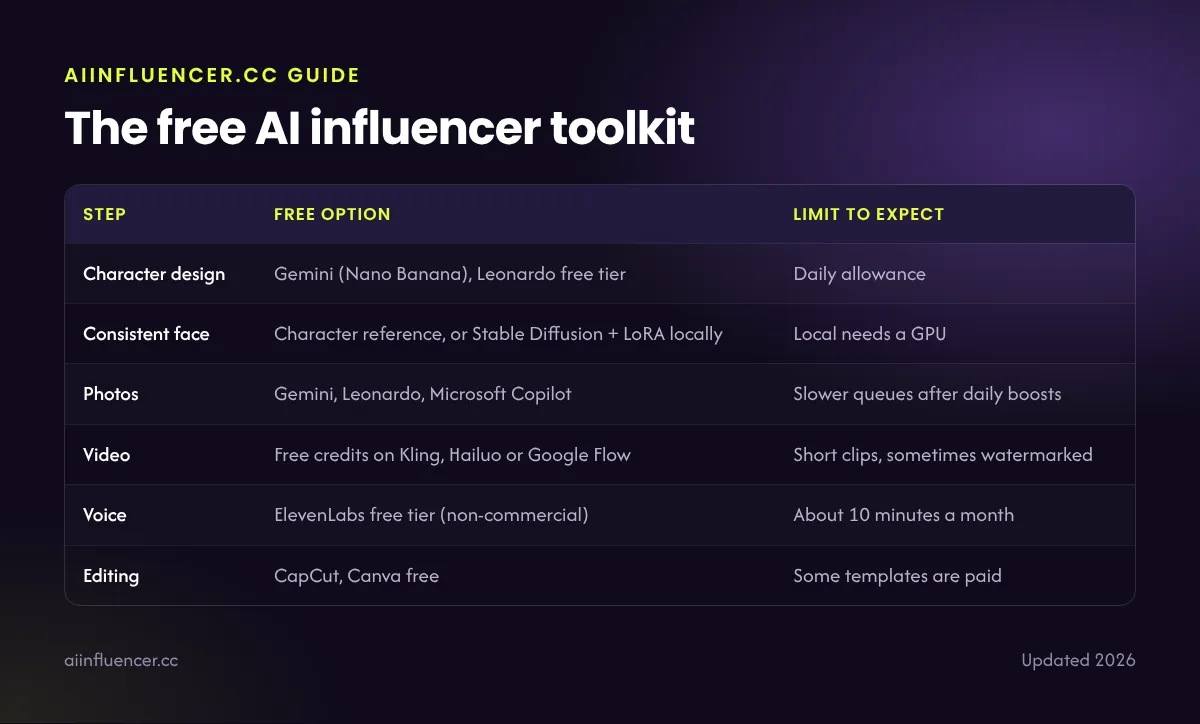
The free AI influencer toolkit
| Step | Free option | Limit to expect |
|---|---|---|
| Character design | Gemini (Nano Banana), Leonardo free tier | Daily allowance |
| Consistent face | Character reference, or Stable Diffusion + LoRA locally | Local needs a GPU |
| Photos | Gemini, Leonardo, Microsoft Copilot | Slower queues after daily boosts |
| Video | Free credits on Kling, Hailuo or Google Flow | Short clips, sometimes watermarked |
| Voice | ElevenLabs free tier (non-commercial) | About 10 minutes a month |
| Editing | CapCut, Canva free | Some templates are paid |
Free plans change often. Check each tool before relying on a limit.
Step-by-step: build the persona for $0
- Write a one-page character brief: name, niche, look, personality and three things the persona never posts.
- Generate 20–30 candidate faces in Gemini or Leonardo and pick one.
- Lock the face with a character reference, or train a LoRA locally on 15–25 images.
- Create 9–12 starter photos: portraits plus lifestyle scenes in your niche.
- Animate two or three photos into short clips with free video credits.
- Edit in CapCut, add captions, label the posts as AI and publish.
Every step is explained in depth in how to create an AI influencer.
Getting a consistent face without paying
Free character reference works in most hosted tools, but faces drift a little from side angles. For the most reliable free result, install ComfyUI or another Stable Diffusion interface and train a small LoRA on your persona. It takes an afternoon to set up and then costs nothing per image.
See how to keep an AI face consistent for the full method.
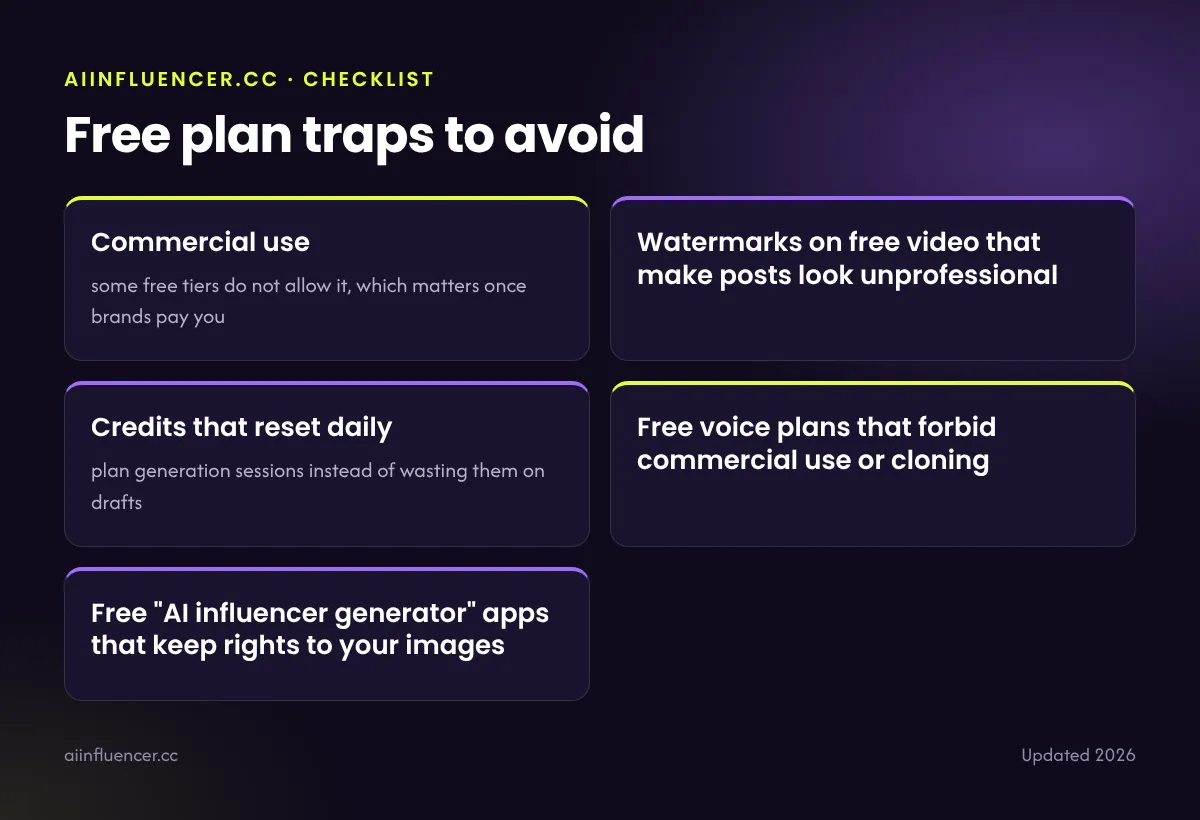
Free plan traps to avoid
- Commercial use: some free tiers do not allow it, which matters once brands pay you
- Watermarks on free video that make posts look unprofessional
- Credits that reset daily: plan generation sessions instead of wasting them on drafts
- Free voice plans that forbid commercial use or cloning
- Free “AI influencer generator” apps that keep rights to your images
When to start paying
Upgrade when the account posts consistently and gains followers, not before. The first tool worth paying for is usually the one that limits you most: often video or a consistent-face tool. A lean paid setup costs roughly $20–$60 a month.
When you are ready to earn, read how AI influencers make money.
FAQ
Frequently asked questions
Can I really make an AI influencer for free?
Yes. Free tiers and local Stable Diffusion are enough to design a persona, keep the face consistent and publish photos and short clips.
What is the best free tool for an AI influencer?
For images, Google Gemini (Nano Banana) and Leonardo AI. For unlimited use and a consistent face, Stable Diffusion with a LoRA on your own computer.
Can I earn money with a free-tools AI influencer?
Yes, but check that each free plan allows commercial use before taking brand deals.
Keep reading
Related guides
How to create an AI influencer
The 8-step process from character brief to first brand deal.
One Comment