
HeyGen Review 2026: Is It the Best AI Talking Head Video Tool for Influencers?
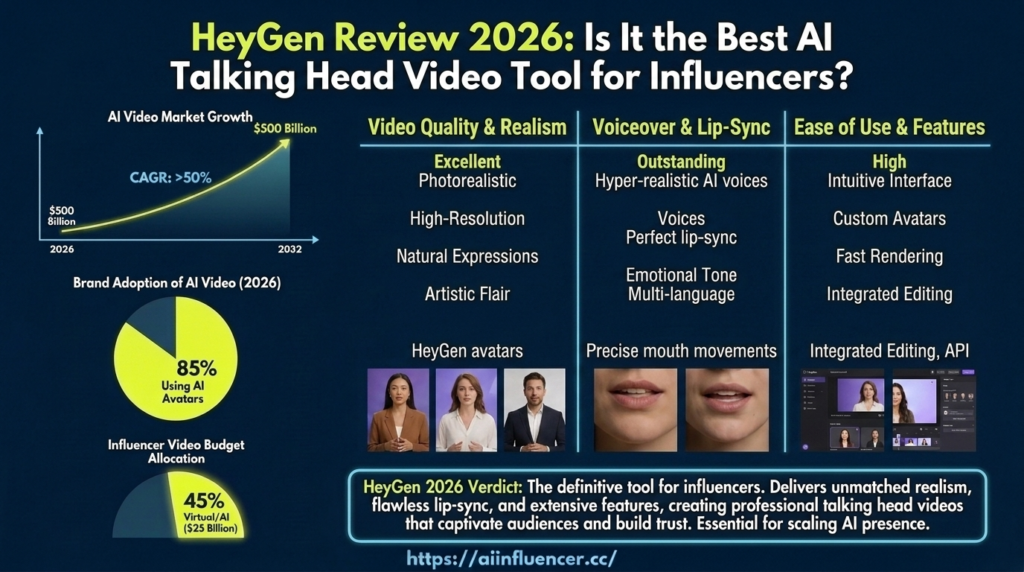
If your AI influencer needs to actually talk not just pose for photos HeyGen is probably the first tool that’s come up in your research. It’s the most widely used AI video generator for talking-head content in 2026, and for good reason: the lip sync is convincing, the avatar library is huge, and you can go from a script to a finished video in minutes instead of days.
But “popular” doesn’t automatically mean “right for your influencer.” This review breaks down exactly what HeyGen does well, where it falls short, what it actually costs once you look past the headline price, and whether it belongs in your AI influencer toolkit.
What Is HeyGen?
HeyGen is an AI video generation platform built around avatar-based talking-head content. You give it a script (or your own voice recording), pick or upload an avatar, and it generates a video of that avatar speaking the script with synced lip movement and natural facial expression.
For creators building an AI influencer, HeyGen solves a specific problem: turning a static persona into someone who can deliver a message on camera. That’s the format that drives the most reach on Instagram Reels, TikTok, and YouTube Shorts — a face talking directly to the viewer — and it’s the hardest one to fake convincingly without a tool built specifically for it.
HeyGen Features for AI Influencers
Lip Sync and Avatar Quality
This is HeyGen’s core strength. The mouth movement tracks the audio closely enough that, on a phone screen at normal scroll speed, it reads as real. Facial micro-expressions — blinking, small head tilts, eyebrow movement — are handled well enough that the avatar doesn’t have that flat, animatronic look older lip-sync tools were known for.
HeyGen offers multiple avatar tiers, with its higher-end “Digital Twin” style avatars producing noticeably more realistic results than the base tier — at the cost of burning through your credits faster (more on that in the pricing section).
Custom Avatars
You’re not limited to stock avatars. HeyGen lets you train a custom avatar from your own reference footage or photos, which is the path most AI influencer builders actually want — a persona that looks like your character, not a generic stock face. This is the feature that makes HeyGen usable for a persistent, recognizable AI influencer rather than a one-off video.
Multilingual Voice and Translation
HeyGen supports translation and lip-sync dubbing across 175+ languages. If your AI influencer is targeting a global audience, or you want to repurpose one video into multiple language markets without re-filming anything, this is a genuinely useful feature most competing tools don’t match at the same quality level.
Script-to-Video Workflow
The actual production flow is simple: write or paste a script, select your avatar and voice, generate. There’s no timeline editor to learn, no manual keyframing. For a creator publishing daily or near-daily content, this speed is the difference between a sustainable posting schedule and burnout.
HeyGen Pricing in 2026
HeyGen runs on a credit system layered under its subscription tiers, and the credit cost per video changes a lot depending on which avatar quality you use. Here’s the breakdown:
| Plan | Price | What you get |
|---|---|---|
| Free | $0/month | 3 videos/month, 1 minute max, watermark, 720p |
| Creator | ~$29/month | ~200 premium credits/month, no watermark, 1080p, videos up to 30 minutes |
| Pro | ~$49–99/month | Higher credit allowance for heavier solo output |
| Business | $149/month + $20/seat | 4K export, custom avatars, team collaboration, SSO |
| Enterprise | Custom pricing | Unlimited video, dedicated support, advanced security |
The part that catches new users off guard: premium “Digital Twin” style avatar video burns through credits roughly 6–7x faster than the basic avatar tier. On the Creator plan’s ~200 monthly credits, that works out to roughly 10 minutes of premium avatar video a month which is tight if you’re posting daily talking-head content. Budget for Pro if premium avatar quality is non-negotiable for your persona.
HeyGen Pros and Cons for AI Influencers
Pros:
- Best-in-class lip sync for talking-head content
- Custom avatar training for a consistent, recognizable persona
- Fast script-to-video workflow — no editing skills required
- Strong multilingual support for global audience reach
- Free tier is genuinely useful for testing avatar quality before you commit
Cons:
- Premium avatar quality drains credits fast — real cost is higher than the headline price suggests
- No B-roll or lifestyle motion video — HeyGen is built for talking-head content specifically, not the walking/gesturing/environment shots your feed also needs
- Free and entry-tier videos carry a watermark and length cap
- API access is billed completely separately from the web plan
How to Use HeyGen to Create AI Influencer Content
- Train your custom avatar. Upload reference photos or footage of your persona rather than using a stock avatar — this is what keeps your influencer recognizable across every video you publish.
- Write a tight script. HeyGen performs best with clear, conversational scripts under 60 seconds for Reels and TikTok-length content.
- Choose your voice. Use a text-to-speech voice matched to your persona’s personality, or record your own voice and let HeyGen sync it to your avatar.
- Generate and review. Check the output for any lip-sync drift or unnatural pauses before publishing this happens more often with longer scripts or unusual phrasing.
- Export at the right aspect ratio. Vertical 9:16 for Reels and TikTok, and confirm you’re on a paid tier so there’s no watermark on published content.
HeyGen vs Alternatives
If you’re weighing HeyGen against other tools in your AI video generator stack:
- Runway Gen-4 is stronger for cinematic B-roll and scene generation — pair it with HeyGen rather than choosing one over the other, since they solve different problems.
- Kling handles motion and lifestyle video well but doesn’t match HeyGen’s lip sync quality for direct-to-camera content.
- Synthesia competes most directly with HeyGen on talking-head avatars, generally at a higher price point aimed more at corporate training content than social content.
For an AI influencer specifically, most creators end up running HeyGen for talking-head videos alongside a separate tool for lifestyle and motion shots no single platform currently covers both well.
Is HeyGen Worth It for AI Influencers?
If your content strategy leans on your persona speaking directly to camera — which, given how algorithms reward that format in 2026, it probably should — HeyGen is worth the Creator tier at minimum. The lip sync quality and custom avatar training are exactly what a recurring AI influencer needs to stay recognizable and credible across every post.
Where it’s not worth it: if your influencer is purely photo/lifestyle-based with no talking content planned, HeyGen’s core strength goes unused and a general AI video tool will cover your needs more cheaply.